Monitor
See the operational picture
Track forecast conditions and government alerts across individual locations, location portfolios, routes, and operating areas.
Enterprise Weather Operations
WRXFlow is the enterprise automation layer in WeatherWRX. Build decision logic incorporating forecasts, government alerts, schedules, routes, and operating areas. Simulate your workflows before activation, then coordinate actions seamlessly across WeatherWRX and Google Workspace.
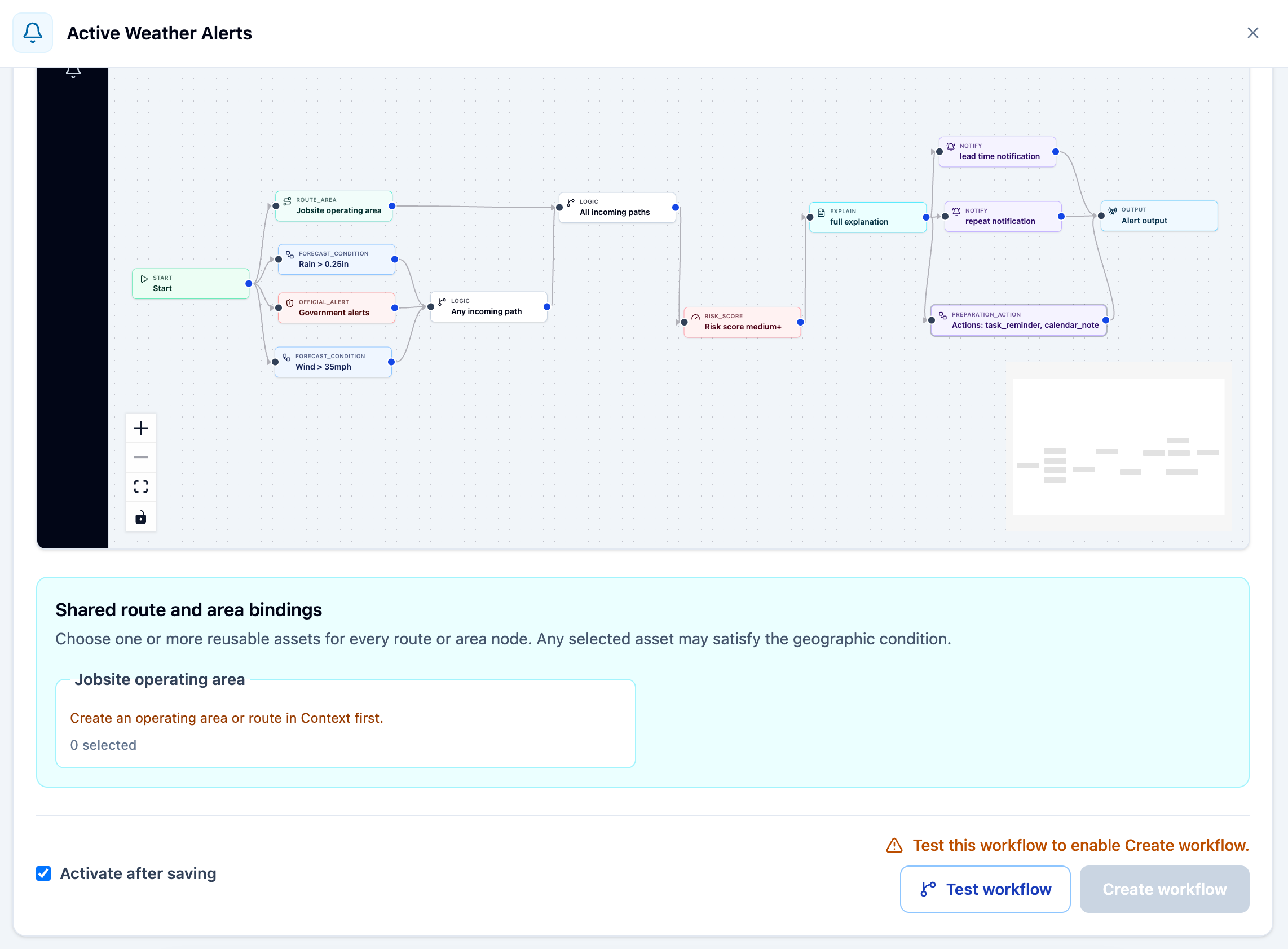
From forecast to response
Monitor
Track forecast conditions and government alerts across individual locations, location portfolios, routes, and operating areas.
Decide
Combine forecast thresholds, timing, duration, and calendar schedules to create a visual risk management plan that reflects your organization's operating policy.
Coordinate
Create and share weather risk briefings, updates, action plans, acknowledgements, and all-clear notices using the Google Workspace communication channels your team uses.
The right level of automation
Standard and Government Alerts provide direct location-level awareness. WRXFlow adds the operational context, logic, and coordination needed for higher-consequence decisions.
Monitor a defined weather threshold at one saved location.
Rain, wind, temperature, visibility, cloud cover, or air quality.
Surface official watches, warnings, and advisories for a location.
Authoritative public-safety information from government agencies.
Combine weather, operational context, and response rules across a team or portfolio.
Multi-condition decisions, lead times, grouped delivery, escalation, and recovery.
Enterprise capabilities
WRXFlow keeps the conditions, scope, timing, delivery, and evidence visible so operating teams can understand what will happen before automation begins.
Build understandable AND/OR logic using forecast metrics, weather events, government alerts, duration checks, timing, and risk. Start from a certified example or create a workflow for your own operating policy.
Apply a WRXFlow across an Organizer section while retaining the individual location evidence behind each incident. Workflows can follow the section or use a defined subset of locations.
Evaluate conditions along saved routes or within operating areas. Choose whether one affected sample, a defined count, a coverage percentage, or an average should drive the decision.
Use selected calendar events to define when and where weather matters. Calendar context narrows the decision window while the forecast determines whether the workflow qualifies.
Choose WeatherWRX, Google Calendar, and email outputs for each workflow. Set grouping, update sensitivity, quiet hours, acknowledgements, escalation, and all-clear behavior at the section level.
Run the production evaluator before activation, inspect matched and near-miss conditions, and review workflow activity, revisions, actions, acknowledgements, and completed preparation tasks.
Operational applications
Use WRXFlow where weather affects staffing, equipment, travel, schedules, facilities, customer commitments, or business continuity.
Create one operating brief across facilities, sites, or regions while preserving the status and evidence for every affected location.
Evaluate wind, rain, heat, air quality, and official alerts across routes or work areas before crews and equipment are committed.
Compare forecast hazards with selected event times and locations to support earlier go, adjust, postpone, or prepare decisions.
Issue preparation actions, keep teams informed as conditions evolve, and send an all-clear only after the required safe period is complete.
WRXFlow deployment
01
Name the decision, trigger conditions, and required lead time.
02
Choose the locations, calendars, routes, areas, and contacts involved.
03
Review matches, near-misses, and planned deliveries before anything goes live.
04
Activate the workflow, monitor results, and adjust it when operations change.
WeatherWRX Enterprise Edition
Define your operational requirements, decision thresholds, delivery paths, and deployment plan with WeatherWRX.